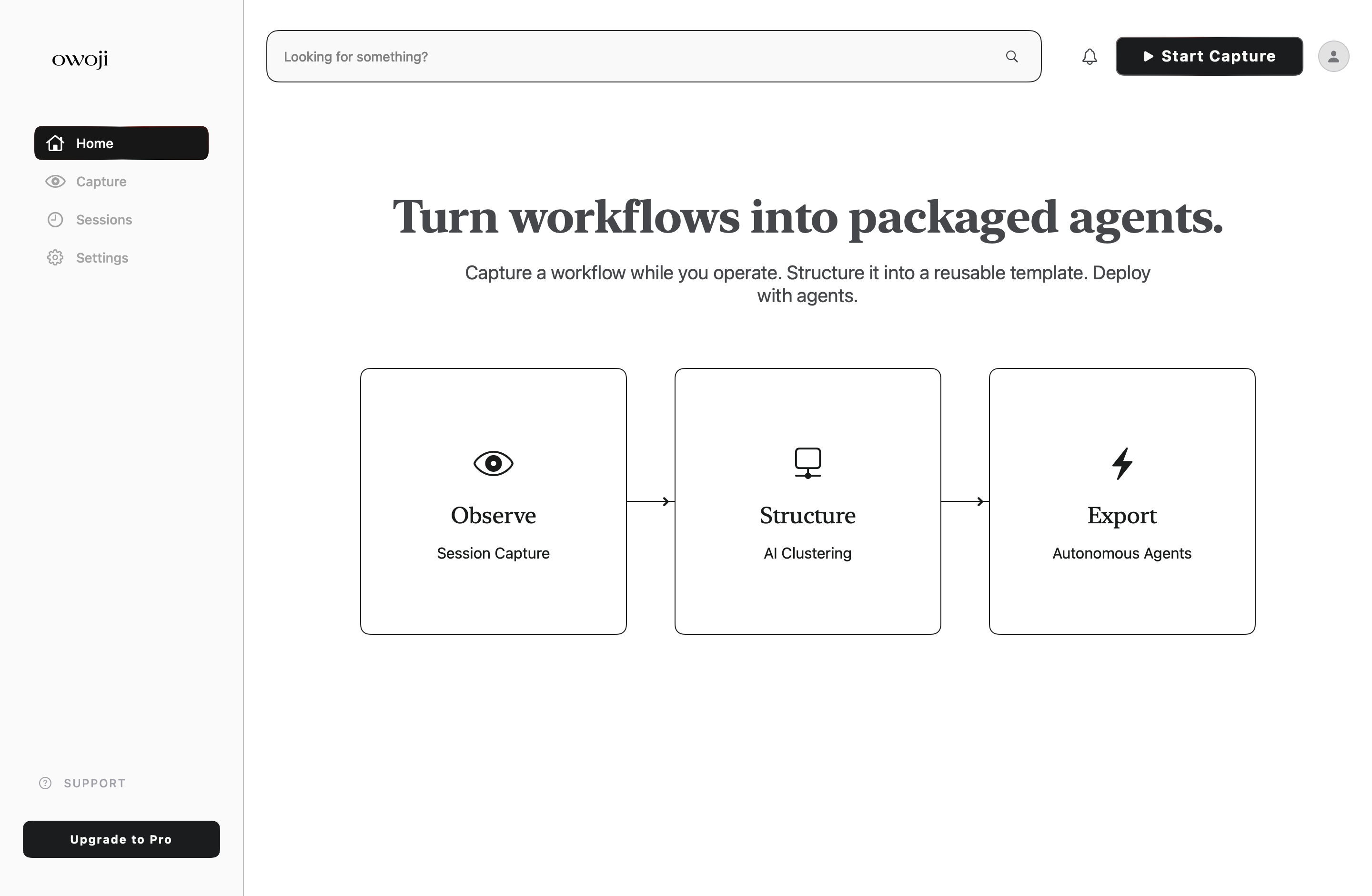
Stop repeating work your agent can learn.
OWOJI observes one valuable task on your Mac, shows you the reusable steps and estimated time savings, then gives the workflow to your agent after you approve it.
AI can do the work, but it does not know your process.
Without clear instructions, a teammate or AI agent has to guess which apps to use, which decisions matter, and what a correct result looks like.
- The same task is explained again every time
- Important decisions are lost after the work is finished
- People know the result, but not the steps that produced it
- Mistakes repeat because failed attempts are not documented
- Useful team knowledge stays inside one person's head
Capture the task. Review the steps. Export the instructions. Reuse them.
OWOJI turns one completed task into a clear process that can be followed again.
Describe the task
Give the capture a name and state what you are trying to finish.
Complete the task normally
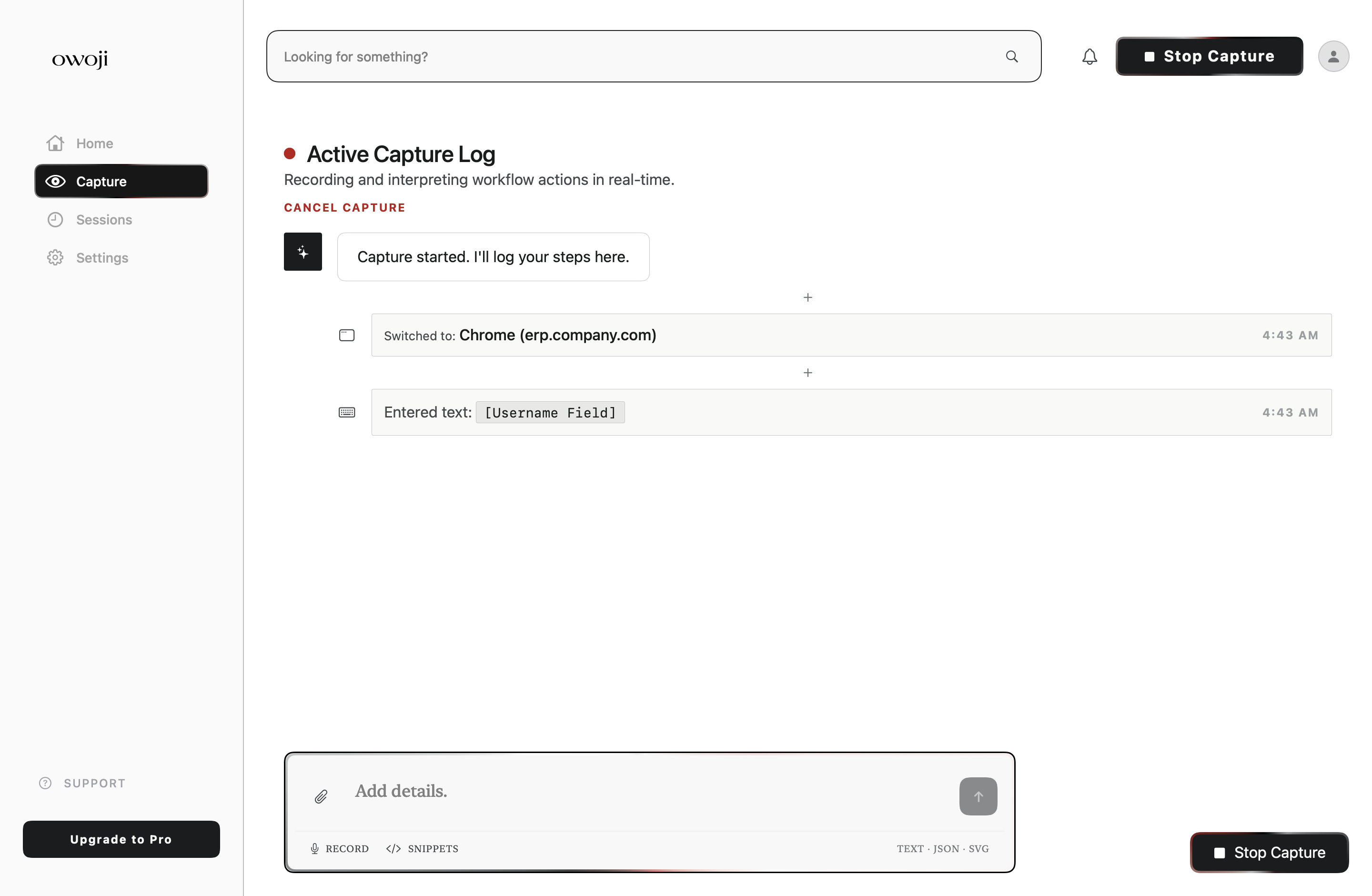
OWOJI records app changes, browser tabs, files, and the manual notes you add.
Check the recorded steps
Remove noise, add missing decisions, and confirm that sensitive information is hidden.
Save reusable instructions
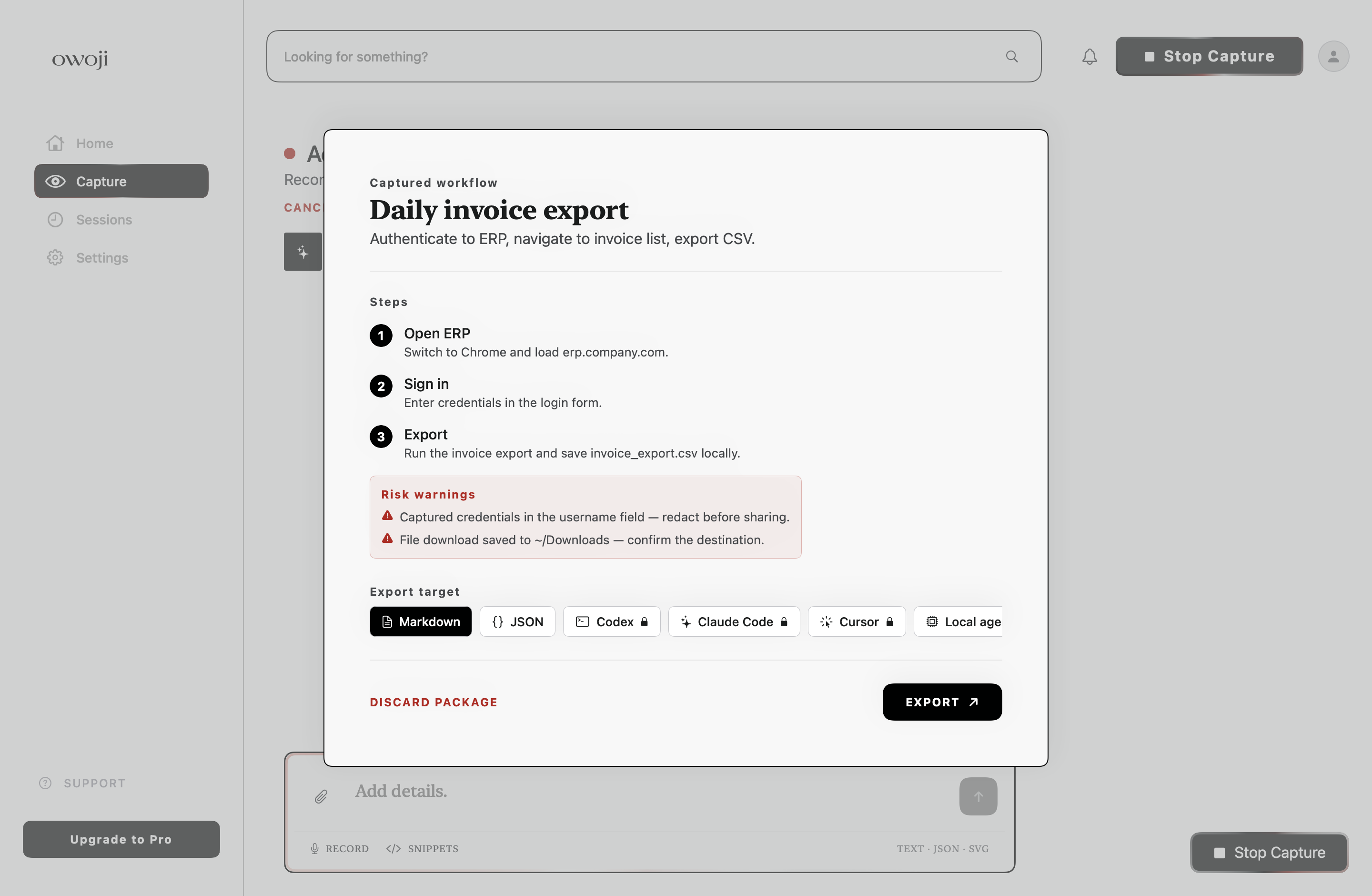
Export Markdown or JSON, or create a Pro package for an AI coding agent.
Save your best processes as reusable instructions
The Skill Engine organizes completed workflows so people and AI agents can find and reuse the right process later.
Create instructions
Turn a capture, document, repository, or research session into a clear list of requirements, steps, checks, and risks.
Organize each version
Keep the instructions, original sources, updates, ratings, and known problems together.
Find the right process
Search by task, tool, or use case so a person or AI agent can use the correct instructions.
Improve what is unclear
Report missing steps, bad examples, and safety problems so the instructions can be corrected.
Capture how you actually work
Name it
Title the session and describe the goal before you start.
Grant access
Review the exact permissions OWOJI needs, and why.
Capture
Start and stop intentionally. Nothing records without you.
Review the log
Remove events, mask sensitive detail, mark variables.
Summarize
Turn the useful events into ordered instructions and checks.
Export
Hand it to a teammate, or straight to an agent.
Screen Recording
Used to understand visible workflow state while you capture.
Accessibility
Used to observe UI actions and which control is focused.
Apple Events
Reserved for app-to-app context, approved separately by macOS.
Keyboard tracking is opt-in and aggregate-only. OWOJI never stores passwords or raw keystroke text. Head movement and eye tracking are designed but not yet enabled — they're waiting on explicit camera and gaze permission work, not shipped quietly in the background.
Control what OWOJI can access, spend, and publish
Before an automated task starts, you can limit its budget, approved tools, and whether its output stays private.
Set a maximum budget
Choose how much automated work can cost per day and per month.
Approved tools only
OWOJI only uses the AI providers and tools you have allowed.
Complete activity log
Every task, retry, and delay is recorded so you can see what happened.
Pause without losing work
Stop an automated task and continue it later from the same place.
Nothing is published automatically
Your work stays private unless you explicitly choose to publish it.
Supporting files
Generated work can include the source files and references used to create it.
What works now and what is still being built
Use the status labels below to see which features are ready.
Capture for free. Upgrade for AI summaries and packaged agent files.
- ✓Live capture log
- ✓Manual detail events
- ✓Raw Markdown export
- ✓Raw JSON export
- –AI session summaries
- –Pro workflow packaging
- –Agent packet ZIP
- ✓Everything in Free
- ✓AI session summarization
- ✓Workflow packaging
- ✓Agent packet ZIP export
- ✓Risk warnings & handoff summary
- ✓No second AI charge when reopening the same summary
Try OWOJI on a real task and tell us what was unclear.
Send the task you attempted, the result you expected, and the step where OWOJI stopped being useful.